
Everything your gym's screen should do.
One app for the timer, the class plan, the scoreboard and the promo screen, on Apple TV, iPhone and iPad.
Your brand
A timer with someone else's logo makes your gym look borrowed. VORZA makes it look like yours.
- Your logo on the timer (Pro). Beside the clock, every round, every class.
- Wide logo (Pro). A horizontal wordmark for wide spots like the Split and Two timers layouts.
- Brand colors (Pro). One color, a shaded look, or two colors blended. Text switches between black and white on its own so it stays readable.
- Number color (Pro). White, black, gray, your brand color or a custom color. Only colors that read well on your background are offered.
- 11 font styles (Pro). VORZA, Rounded, Classic, Condensed, Narrow, Wide, Serif, Mono, Speed, Sprint and Elegant.
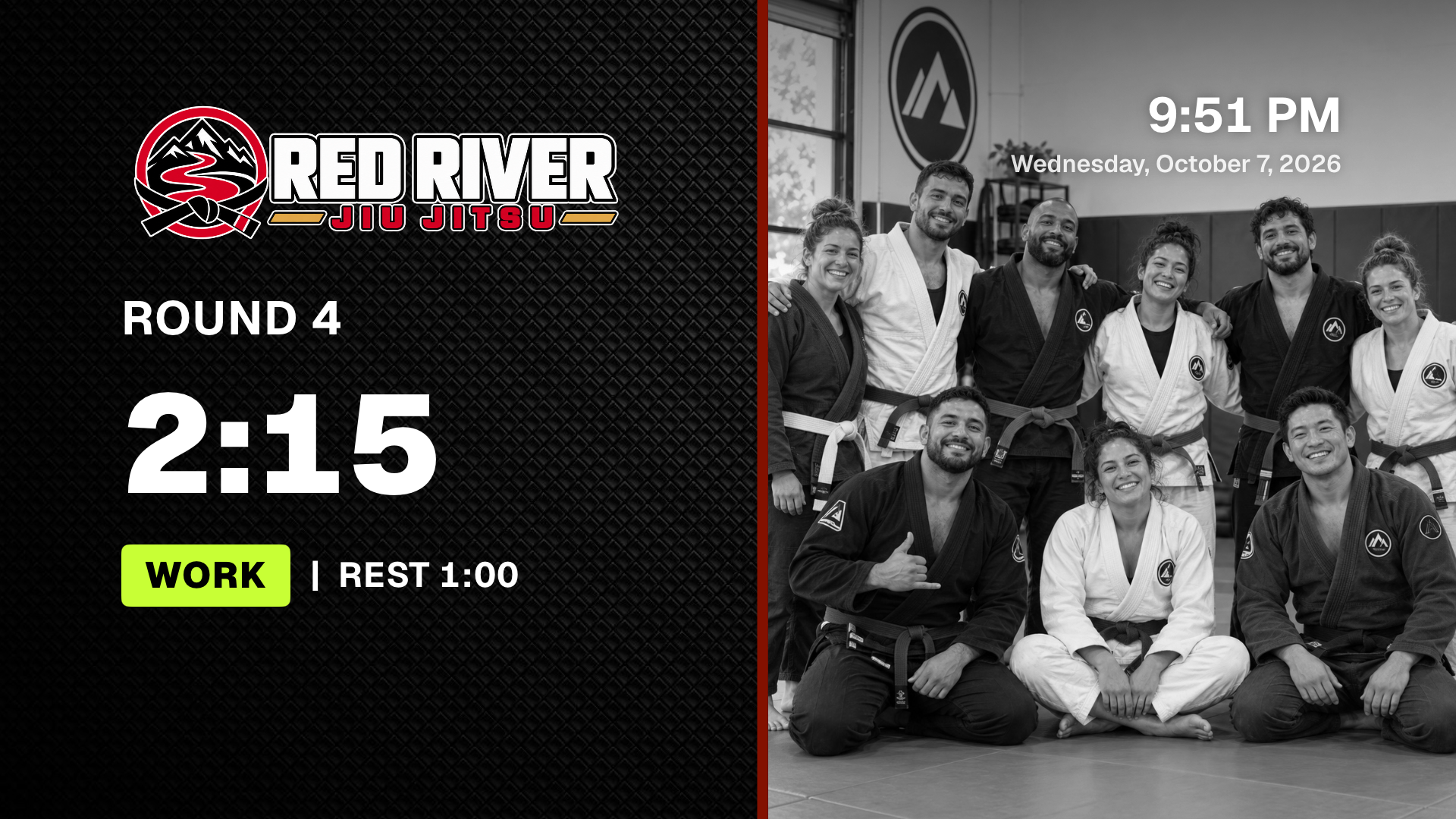
- Photo behind the timer (Pro). Your mats or your team, darkened so the numbers stay clear.
- Play button color (Pro). Automatic uses your brand color when it stands out.
- Photo Mode (Pro). A full-screen branded backdrop for team photos and visits, on black, white, or your timer's look.
- Screen saver with your logo. Protects the TV from burn-in while it sits unused.
- Share from Canva (Pro). Design in Canva, tap Share, pick VORZA. Use it as a slide, logo, background or photo. A multi-page PDF becomes a set of slides.
Layouts
One layout never fits every room. Pick the one that fits yours.
- Classic. Your logo beside big numbers.
- Split (Pro). The timer beside rotating photos, with the angled VORZA V or a straight edge, an optional stripe in your color, and black-and-white photos if you like.
- Logo (Pro). Your logo big, the time beside it. Optionally only while idle, switching to Classic during class.
- Board (Pro). The timer beside the class plan, with the current part highlighted.
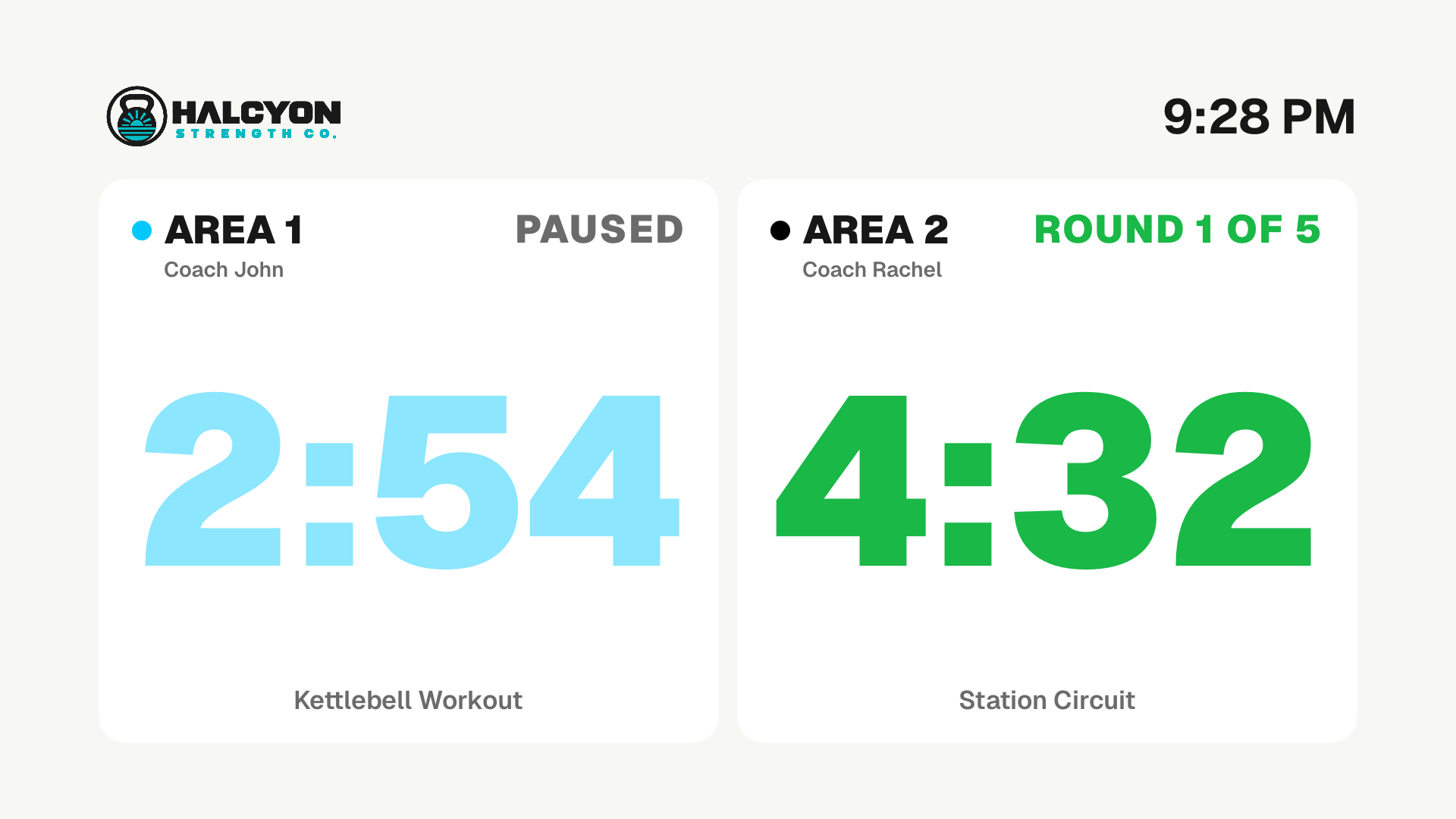
- Two timers (Pro). Two independent timers side by side for two mats or two groups. Each side has its own name, color, program, bells and voice, and each coach runs their own side from their phone.
- Digits, Ring or Bar. Three timer styles that work in every layout.
- Round timeline. A strip along the bottom showing every round: done, now, and still to come.
- Flip sides. Swap left and right to suit your room.
- Vertical TVs. For a TV mounted on its side, turned either way.
Readable across the room
If the back row can't read it, it isn't a timer. It's decoration.
- Phase colors. Green for work, yellow at the warning, red for rest.
- Phase background. The whole screen takes the phase color, as a tint or full color with white text.
- Big final countdown. The last 5 seconds of every round, rest and get-ready fill the screen.
- Colorblind-friendly colors. Blue, amber and orange instead of green, yellow and red. The badge still says ROUND or REST in words.
- Room size. Large room makes the time bigger for people far from the TV.
- Time of day and 24-hour clock. The date and time on screen, as 2:05 PM or 14:05.
- Leading zero. Show 00:45 instead of 0:45 if you prefer.
- Light or dark. Pick the look that suits your lighting.
Timers
Your classes aren't all three-minute rounds. Your timer shouldn't be either.
- Rounds. Work, rest, a warning before the round ends, get-ready and cooldown.
- AMRAP, For Time, EMOM and Tabata. For Time counts up, with or without a cap.
- Adjust on the fly. Change Active, Warning or Rest for today without touching the saved class.
- Siri Remote controls. Play/Pause to start, swipe to change a time, click for settings.
Class programs (Pro)
Writing the class on a whiteboard, then running a separate timer, is two jobs. VORZA makes it one.
- Class builder. Build a class from parts: warm-up, technique, rounds, positional sparring, rest and more.
- Every part type. Single blocks, rounds, EMOM, AMRAP, For Time, untimed parts that wait for Play, strength sets, ladders that change round length, repeat groups, and stations.
- Round focuses. Give each round its own position, combo or exercise. The TV lights up the current one and shows Up next during rest.
- Stations. Groups rotate through stations each round, and the TV shows where everyone goes next.
- Boards on the TV. The whole class beside the timer, with the current part expanded.
- Paste a class. Paste a plan from your notes or a message and it turns into parts.
- Photo of a whiteboard. Snap the board and VORZA reads the writing into the class.
- Tidy up with Apple Intelligence. On supported iPhones and iPads, it reorganizes a messy plan first, on the device.
- My parts and starters. Save parts you reuse, and add ready-made programs that fit your gym type.
- Library with categories and favorites. Kids, No-Gi, Conditioning: filter, star and reorder.
Schedule and lobby (Pro)
Nobody should have to load the 6 PM class at 5:59.
- Class schedule. Each class loads itself on the TV a few minutes before it starts. You just press Play.
- Week plan. A program for each day of the week, loaded each morning.
- Lobby screen. Between classes: the clock, today's classes, a live countdown to the next one, and your announcements.
- Lobby display role. Set a TV in the lobby to show the lobby whenever it's idle.
Slides (Pro)
Your TV is dark between classes. That's the best ad space you own, wasted.
- Slides between classes. Promos, referrals, reviews and events play by themselves when the timer sits idle.
- Slide maker. Headline, details, a photo and three layouts. A finished slide in minutes.
- QR codes and join buttons. Members scan to sign up, book or buy.
- Slides that end on time. Set an end date and a promotion retires itself.
- Corner timer. While a class runs over Photo Mode or slides, a small timer stays in a corner.
Scores (Pro)
In-house events shouldn't need a whiteboard and a stopwatch.
- Head-to-head scoreboards. Jiu-jitsu points with advantages and penalties, submission only, striking rounds with rest, or simple points. Show the mat and division.
- Fast scoring from your phone. +1 to +4 and −1 to −4, Undo, and quick clock fixes.
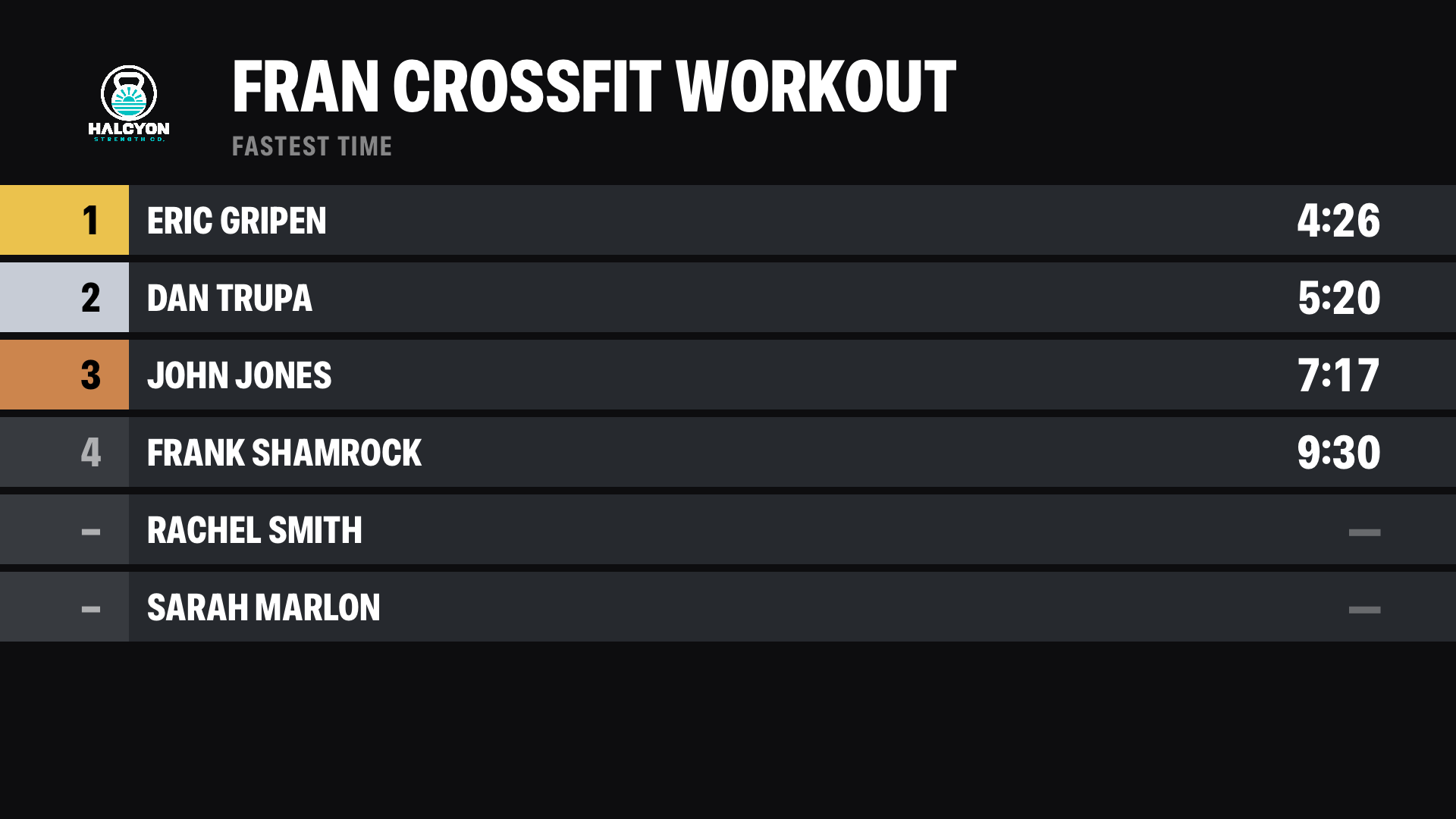
- Leaderboards. Reps, time, time with a cap, weight, or rounds + reps. Rx and Scaled ranked separately; ties share a place.
- Timer beside the leaderboard. The class clock and live rankings side by side, then the full board when the workout ends.
- History and PRs. Results saved by day, with a PR tag when an athlete beats their best.
- Share as an image. A picture of today's results with your logo, for Instagram or your group chat.
- Results on the big screen. The winner and how they won, or medals for the top three.
Sound and music
A bell nobody hears is a round that never ends.
- A sound for every moment (Pro). Boxing bells, air horns, buzzers, whistles and more for round start, warning, round end and workout done.
- Your own sounds (Pro). Upload a file or record one, up to 8 seconds.
- Voice callouts. "Round three. One minute." in any English voice on the device.
- Music that ducks. On iPhone and iPad, your music dips for the bell and can pause when the timer pauses.
- Music controls. Full controls for Apple Music; play, pause, volume and speaker picker for apps like Spotify.
Run it from anywhere (Pro)
The coach should be coaching, not jogging to the TV.
- Phone remote, no app needed. Any coach scans the code on the TV and gets a remote in their browser: timer, classes, schedule and look settings.
- iPhone app as remote. Pair once and every change reaches the TV within a second.
- Switch what the TV shows. Timer, Photo Mode, slides or scores, from your phone.
- Stay connected. The phone remote works any time, not just during setup.
iPhone and iPad
No Apple TV? Your iPad is already a gym timer.
- The timer on its own screen. Full screen on an iPad or iPhone.
- AirPlay or HDMI to any TV. The TV shows the gym timer while the phone stays the remote.
- Personal timer. Hold the phone upright for big numbers, the round, Next and a progress bar.
- Lock Screen and Dynamic Island. The countdown shows when the phone is locked, and the bells still ring.
Multiple TVs (Pro)
Two mats, a lobby and a weight room shouldn't need four apps.
- Name each TV. Mat 1, Lobby, Weight Room.
- Each TV runs its own timer. Starting class on Mat 1 never touches the lobby.
- Its own look. Each TV keeps its own layout and style; your brand and classes stay shared.
- Second location. Turn off sharing on a device to keep a separate setup on the same Apple ID.
Setup and safety
Set it up once. Never lose it.
- Free on Apple TV, iPhone and iPad. One Pro subscription covers them all on the same Apple ID.
- iCloud sync and backup. Programs, brand, photos and history follow you to every device and come back on a new Apple TV.
- Settings lock. A 4-digit code keeps members out of the settings.
- Gym type. Tell VORZA what kind of gym you run and it suggests programs and slide ideas that fit.
- Built-in help and welcome tour. Answers inside the app, on the TV and on the phone remote.